Novel Writing and Worldbuilding Software
Your manuscript and your worldbuilding live in one desktop app. Draft your novel, map every character, and never lose the thread of your own story again.
14 days free · no account · no credit card



 Mycroft Holmes
 London
Was his name Aldric or Aldrick? You write in one app and plan in another. The sword changed hands three chapters ago and you can't recall to whom. Your notes are scattered across documents, spreadsheets, and the backs of envelopes, and the story keeps slipping through the gaps.
Penpoint keeps your whole story in one place:
All of it linked — so renaming your protagonist
doesn't break fifty pages of notes.
Manuscript & Worldbuilding
Write your book.
Know your world.
Your manuscript lives alongside your characters, locations, and worldbuilding. Write a chapter, check a character's eye color, keep writing, without ever leaving Penpoint.
Switch between the two with one click.



Instant search
Your ideas
will find you.
Every character, location, item, chapter, and note is one keystroke away. Stop scrolling through documents. Just start typing.
Relationship mapping
See how they
all connect.
Complex character webs refuse to stay in your head. Allies, rivals, and bloodlines, drawn as an interactive map you can actually read.
Import & Scan
Your prose builds
your world.
Bring in an existing manuscript from Word, EPUB, RTF, or Markdown, and Penpoint reads your prose as it imports, surfacing every character, location, and item you've already written. You've already done the work, let Penpoint create those entries for you.
Write a series
One world.
Every book.
Write a trilogy or a ten-book saga in one place. Your cast, locations, and lore live once and stay current across every volume, so Book 3 never quietly contradicts Book 1. Plot each book on its own, then chart the threads that run through the whole saga.
Always backed up
The Wi-Fi drops.
You keep writing.
Penpoint lives on your computer, not in a browser tab, so a dropped connection never stops a sentence. Every book backs itself up automatically: when you open it, while you write, and when you close it. Want a second copy somewhere safe? Choose a folder in Google Drive, Dropbox, iCloud, or OneDrive, and every backup lands there too. Or let Penpoint Cloud keep an encrypted copy for you, with every earlier draft.
Penpoint Cloud + Minipen
Your whole world.
Now in your pocket.
Penpoint Cloud keeps an encrypted copy of every book, keeps your computers in step, and brings your manuscript and your worldbuilding to your phone with Minipen, the new Penpoint phone app.
- Every book backed up, with every earlier draft kept
- Unlimited storage, however many books you write
- Up to 5 computers kept in step
- Minipen for Android now, iPhone coming soon
- Encrypted on your computer, so only you can read it


Scrivener import and export
Bring it all over.
Take it back anytime.
Import a Scrivener 3 project as a new Penpoint book, with its chapters, scenes, notes, comments, and character sheets. Want to go back? Export your manuscript, or your whole book with its worldbuilding, as a Scrivener project.
Scrivener is a trademark of Literature & Latte Ltd., which is not affiliated with Penpoint.

Ownership
In a world of subscriptions,
it’s time to own something.
Your stories are yours, forever.
The app is a one-time purchase, it runs without an account, and no AI ever touches your prose. It all lives on your computer, and leaves only when you export it or turn on Penpoint Cloud, which encrypts it first.
By The Numbers
Writers have written 1,697,478 words
in Penpoint so far.
Chapters
Hours writing
Writers
This data is live from writers who opted in to share anonymous analytics.
Loved by writers
“This is a writer’s best friend.”
Penpoint is THE writing app. If you want something that provides structure for your planning, then acts as a quiet companion for the writing, this is it. From worldbuilding, to character creation, to helping you easily find things within your manuscript, to just sitting down and writing the damn thing.
L.M. Whiteley · Author, Hitmen of Ulysses series
It’s everything you need, with a UI that doesn’t distract from actually writing. Cleaner, easier, stronger, and actually written for authors, by authors.
Jesse Gerlach
Penpoint lets me work the way I like, and the tools are there waiting for me when I need them. The Flowstate aspect of Manuscript mode is a game changer.
Jen Yocom
I always had a hard time managing the thoughts, ideas, and characters in my head. Penpoint makes you feel less like a noob, and more like a pro.
Tara Briana Barber
I didn’t realize how much I needed Penpoint until I tried it. Everything I need to keep my chaotic ideas organized, so I can spend my time on what matters: writing.
Chaotic Writer
Being able to link significant places, relationships, and character arcs, and tie them into the chapters I write, is a huge time saver. I highly recommend it.
Megan
Instead of ideas scattered across Docs, iPad notes, and sticky notes, everything stays organized and centralized. Clean, simple, easy to focus.
Robert
And there’s more
Everything else Penpoint does.
Click any feature to explore
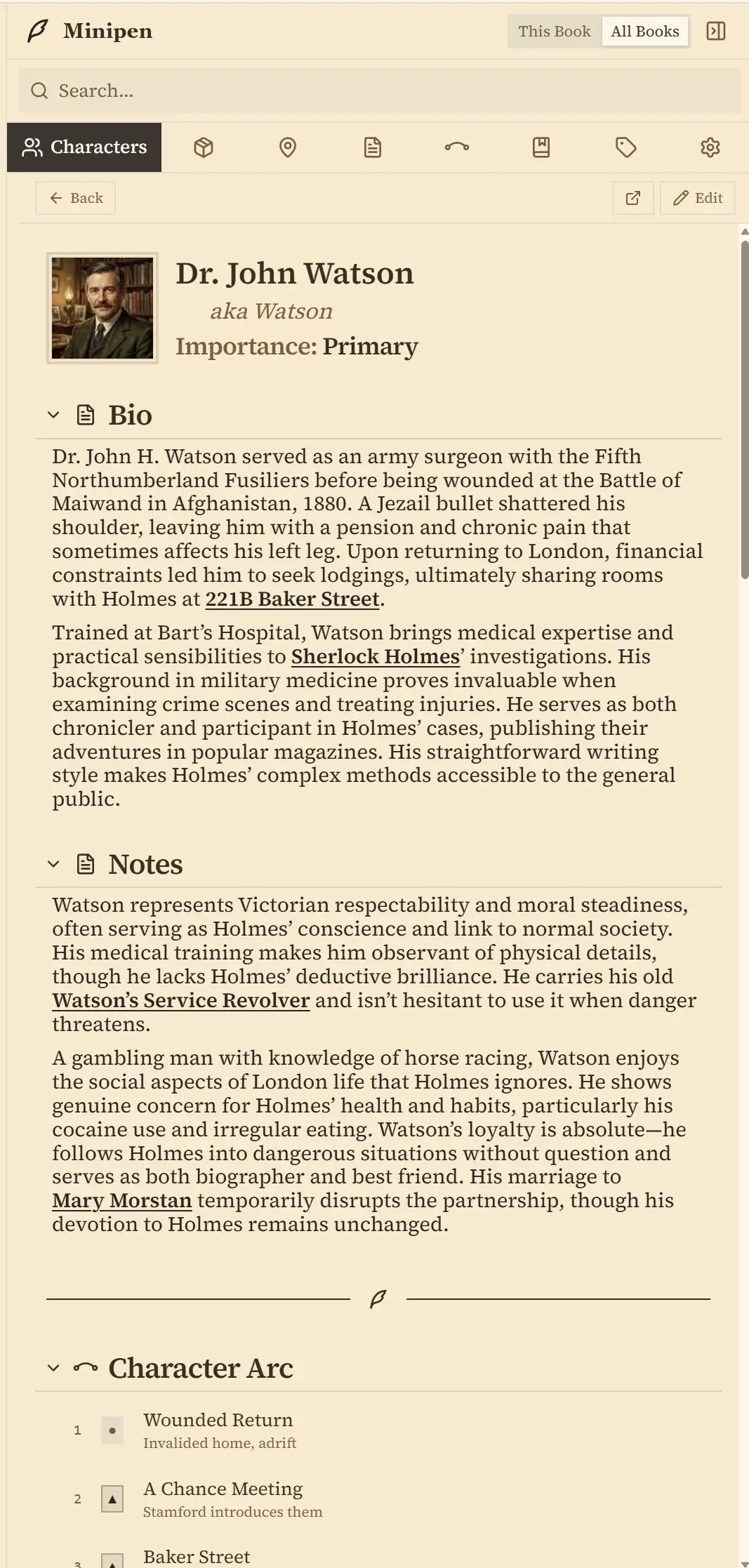
The Minipen
Your whole worldbuilding in a sidebar, right beside your manuscript. Check a name or a detail without leaving the page you're writing on.

Scan Chapters for Content
Right-click a chapter and Penpoint scans your prose for characters, locations, and items. Review matches, click Apply, and everything connects.
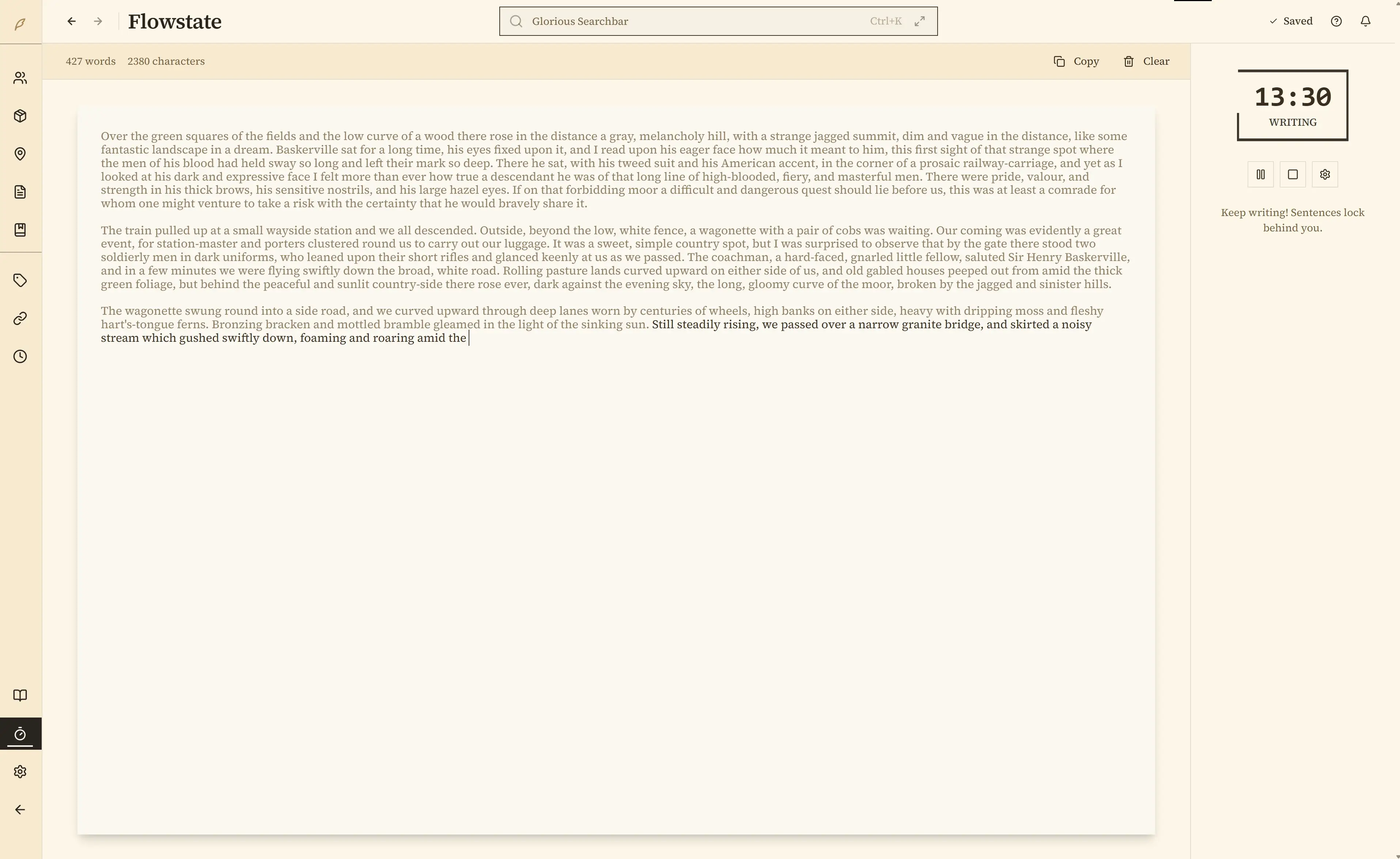
Get in a Flowstate
Stop editing, start writing. Sentences lock behind you as you type, breaking the revision loop that keeps you stuck.
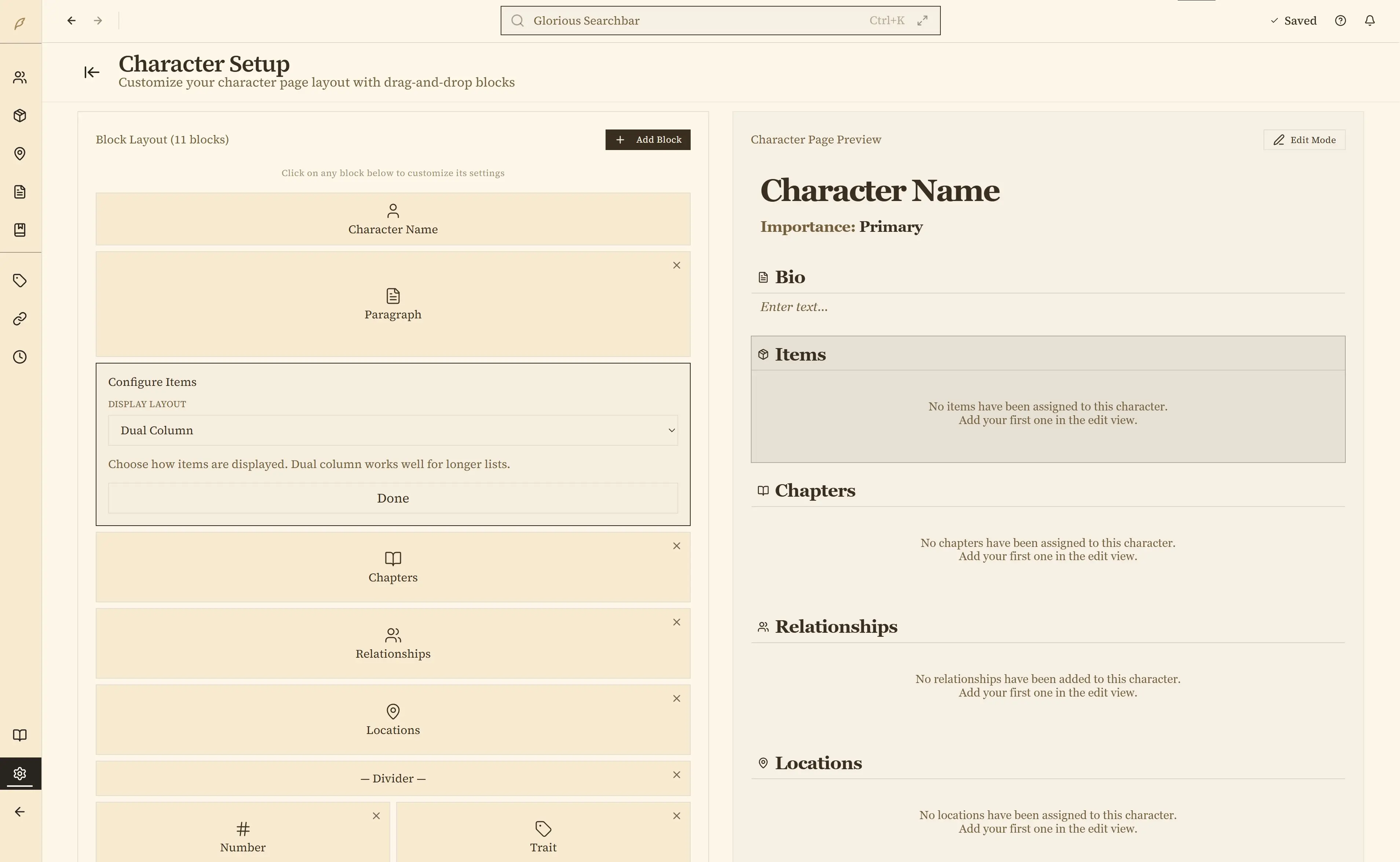
Custom Character Layouts
Your world is complex. Track what matters to your story. Build your own character sheets from scratch.
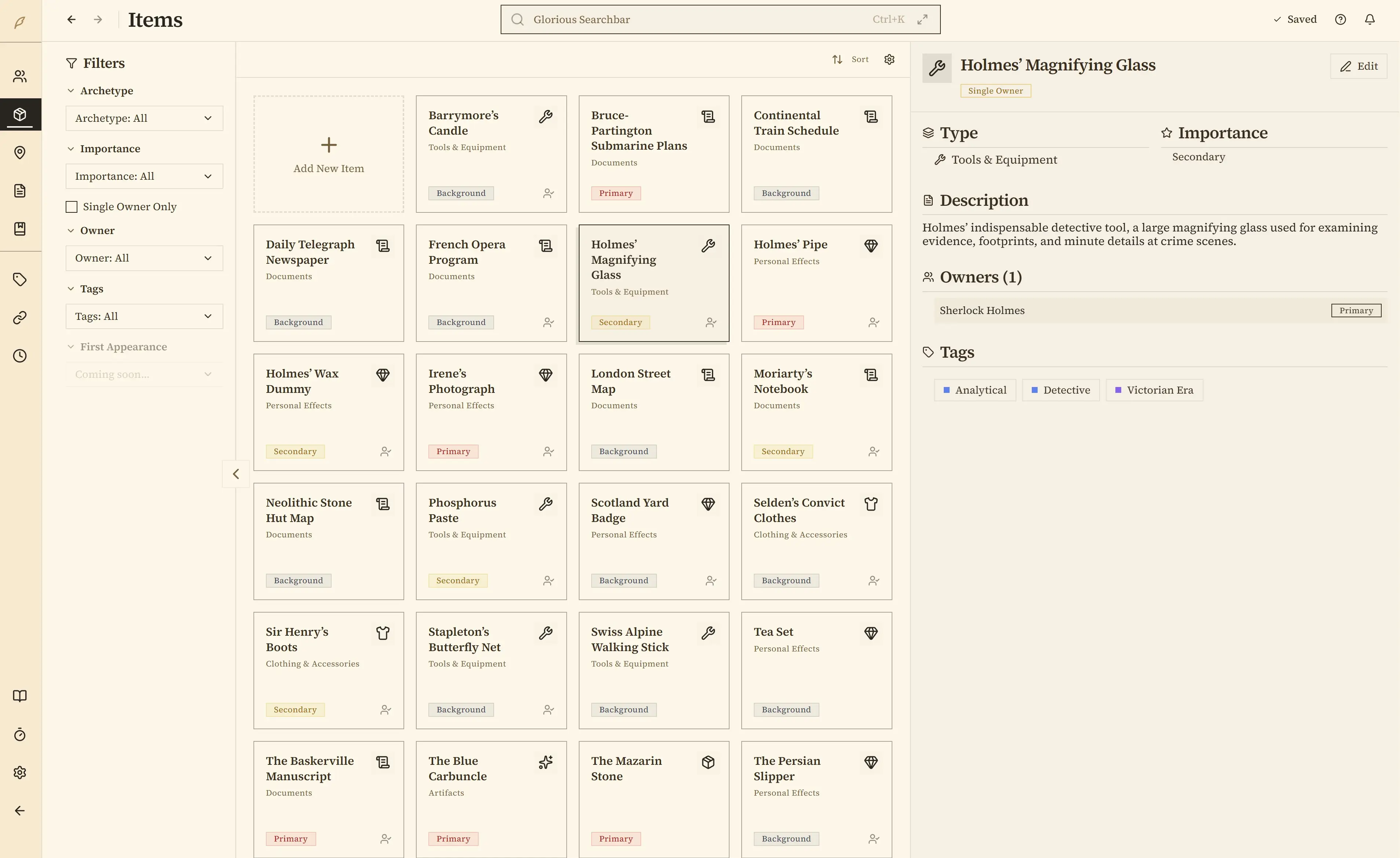
Track Your Character's Possessions
Who owns what? Where is it now? Link items to characters and locations so you always know who's carrying the MacGuffin
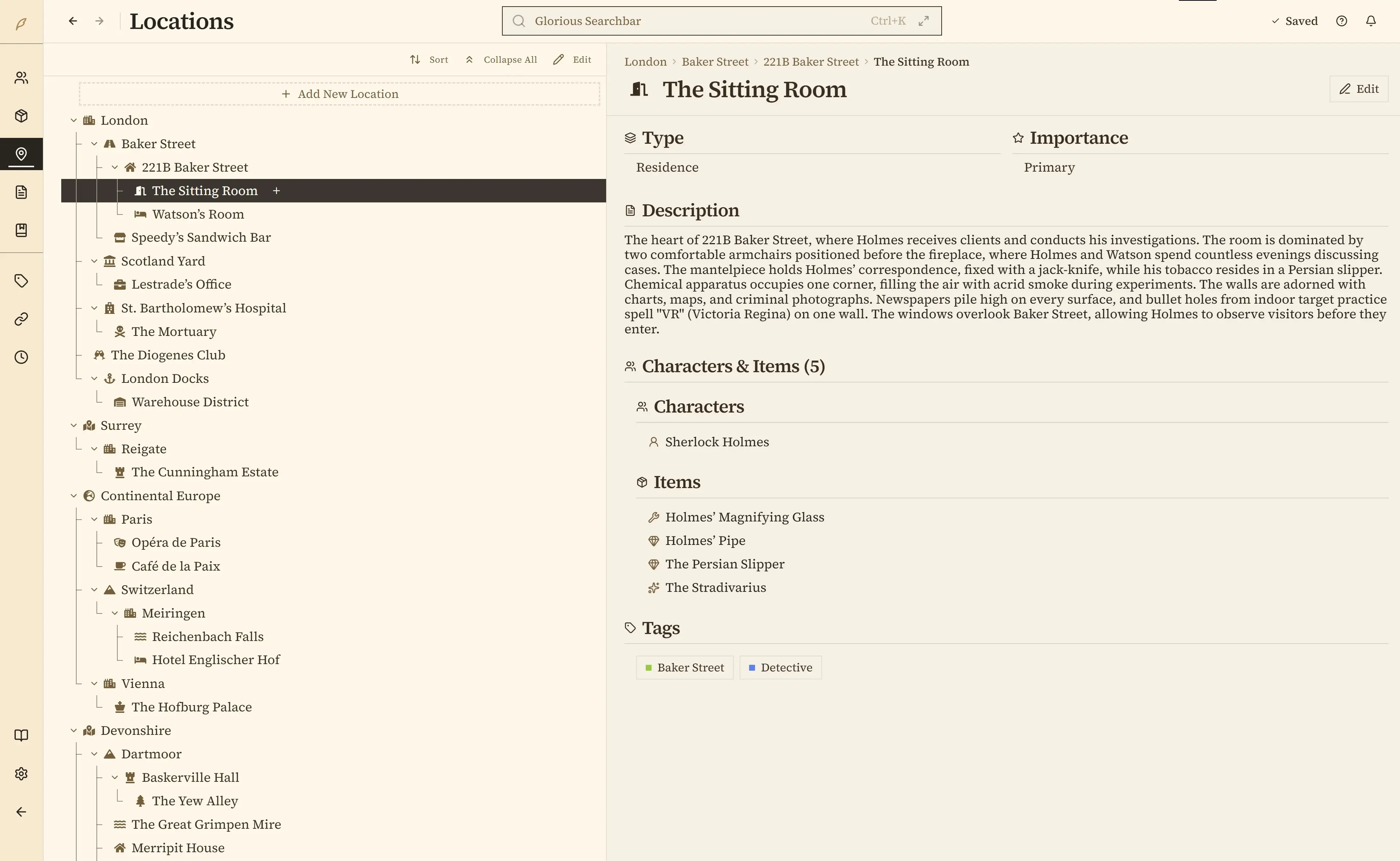
Map your Locations
Kingdom → City → Tavern → Secret Basement. It's all there, with every detail saved for each of your book's settings.
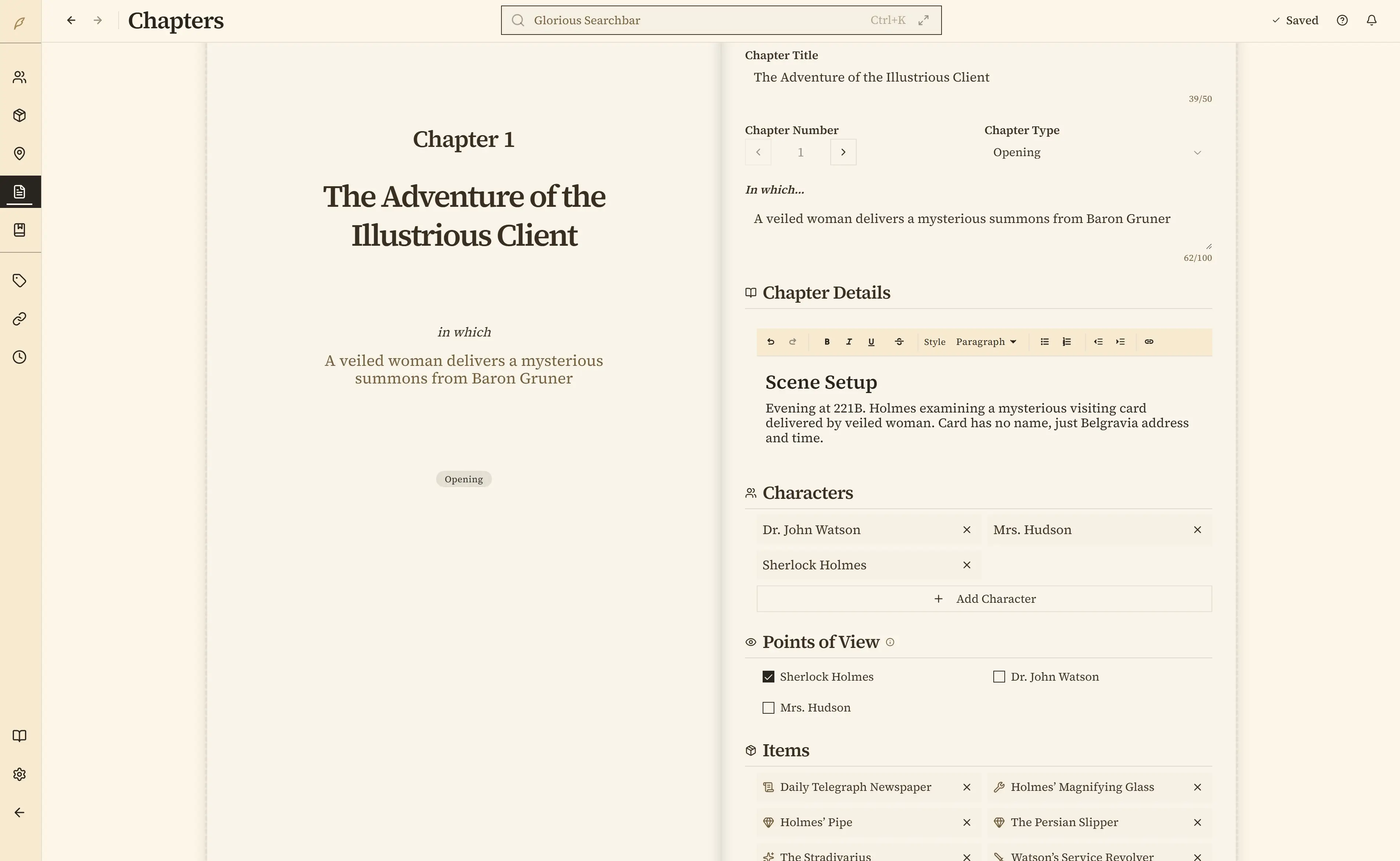
Customize Your Chapters
Design a chapter view that fits how you plan stories. Block-based layouts let each scene track its own POV, characters, locations, and items.
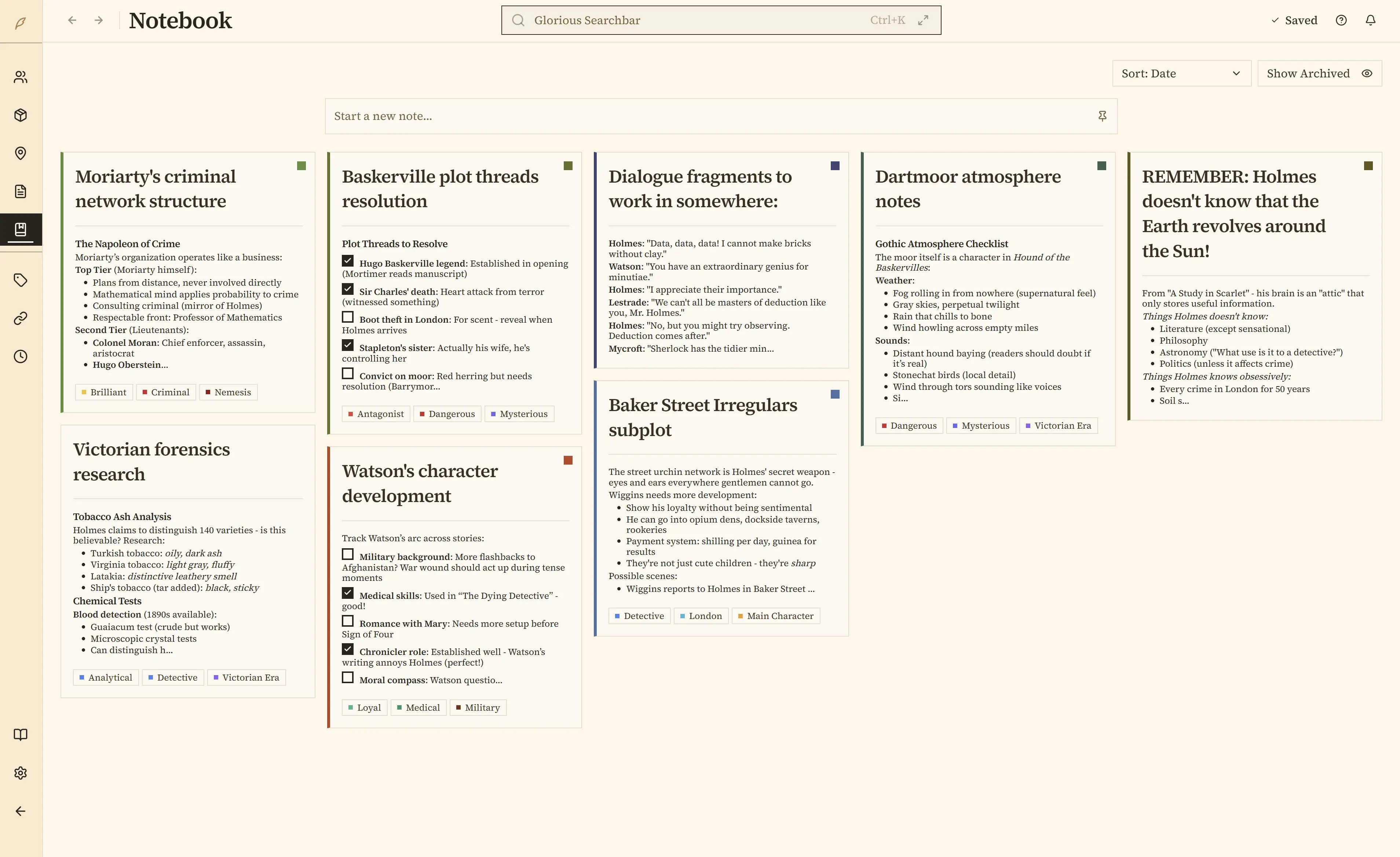
Notes, for everything else
Organize your research into folders, embed images, tag your notes, and link to anything in your world.
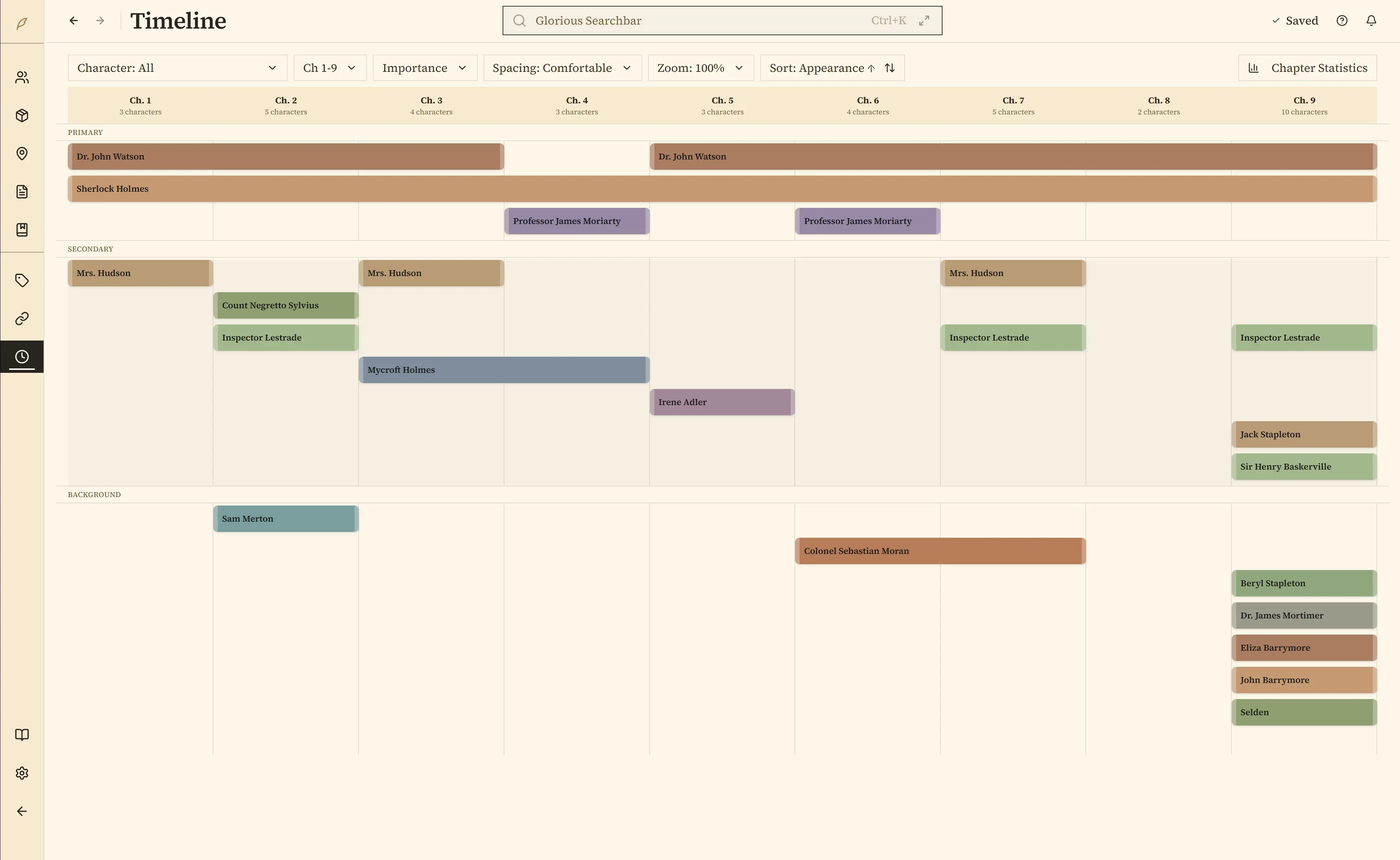
Timeline View
Visually see where your characters appear across chapters, then fill in the holes.
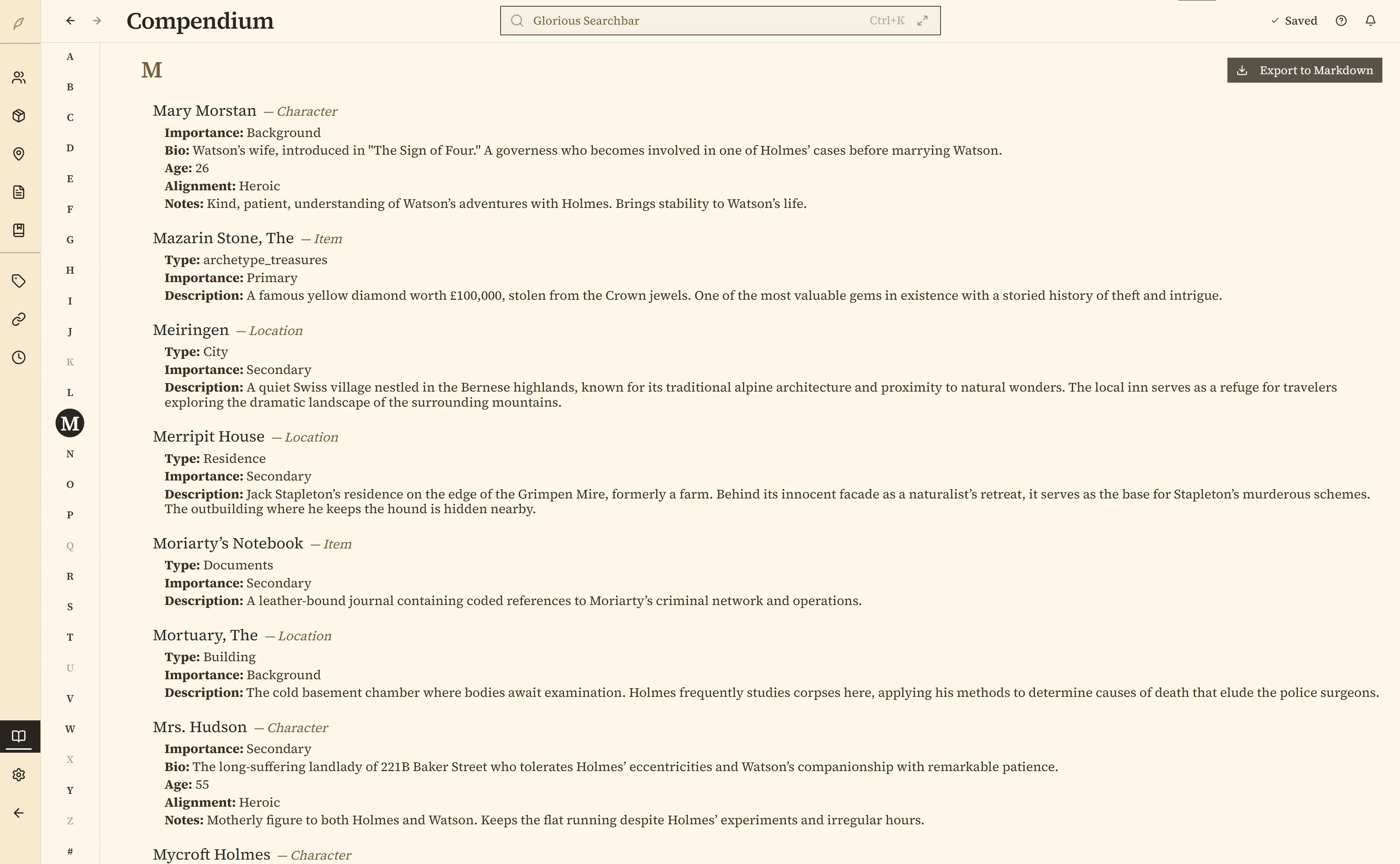
The Compendium
View an alphabetical index of everything in your world that's always up to date.
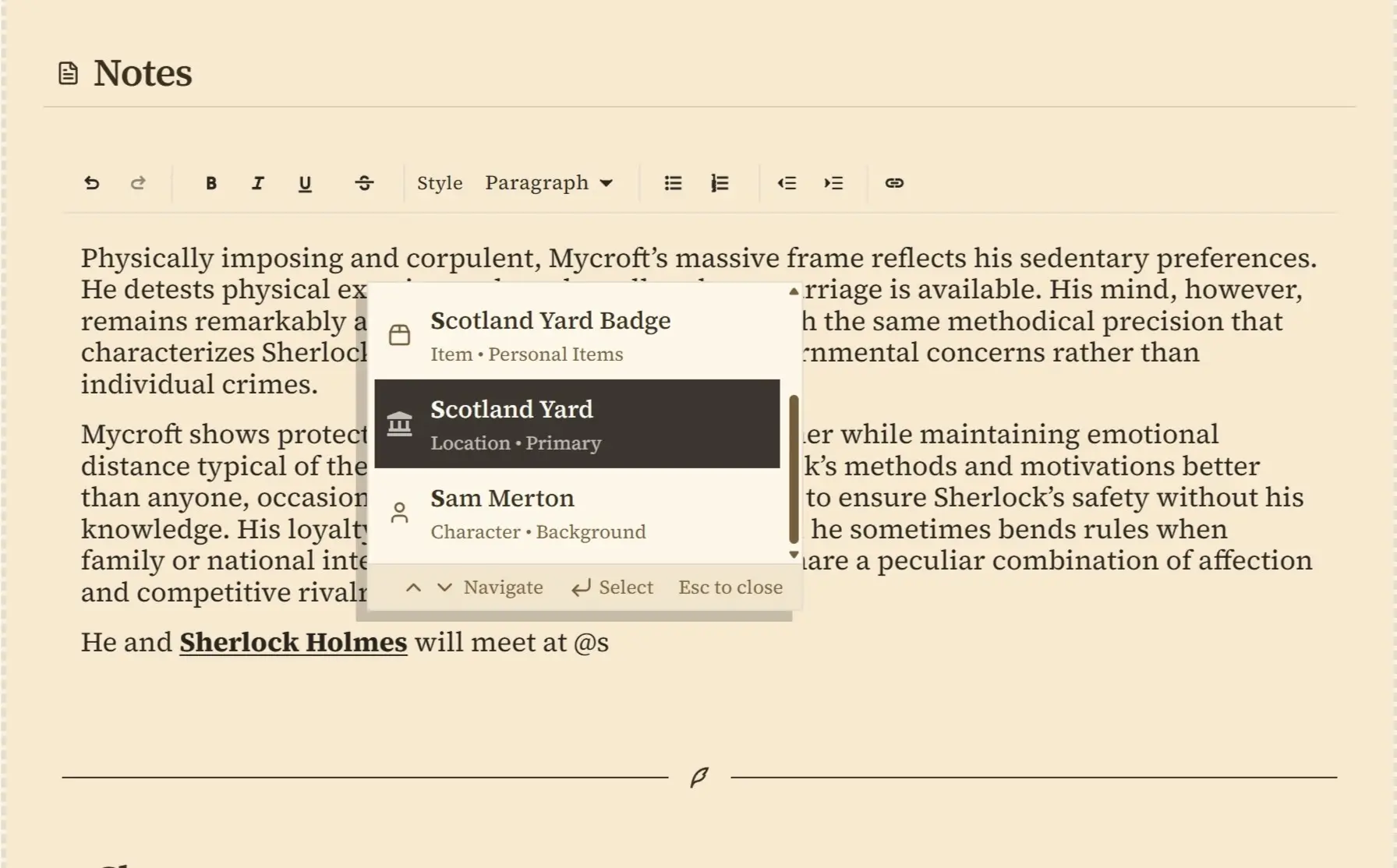
Link Anything with @Mentions
Type @ and connect to any character, location, or item. Links stay updated even when you rename things.
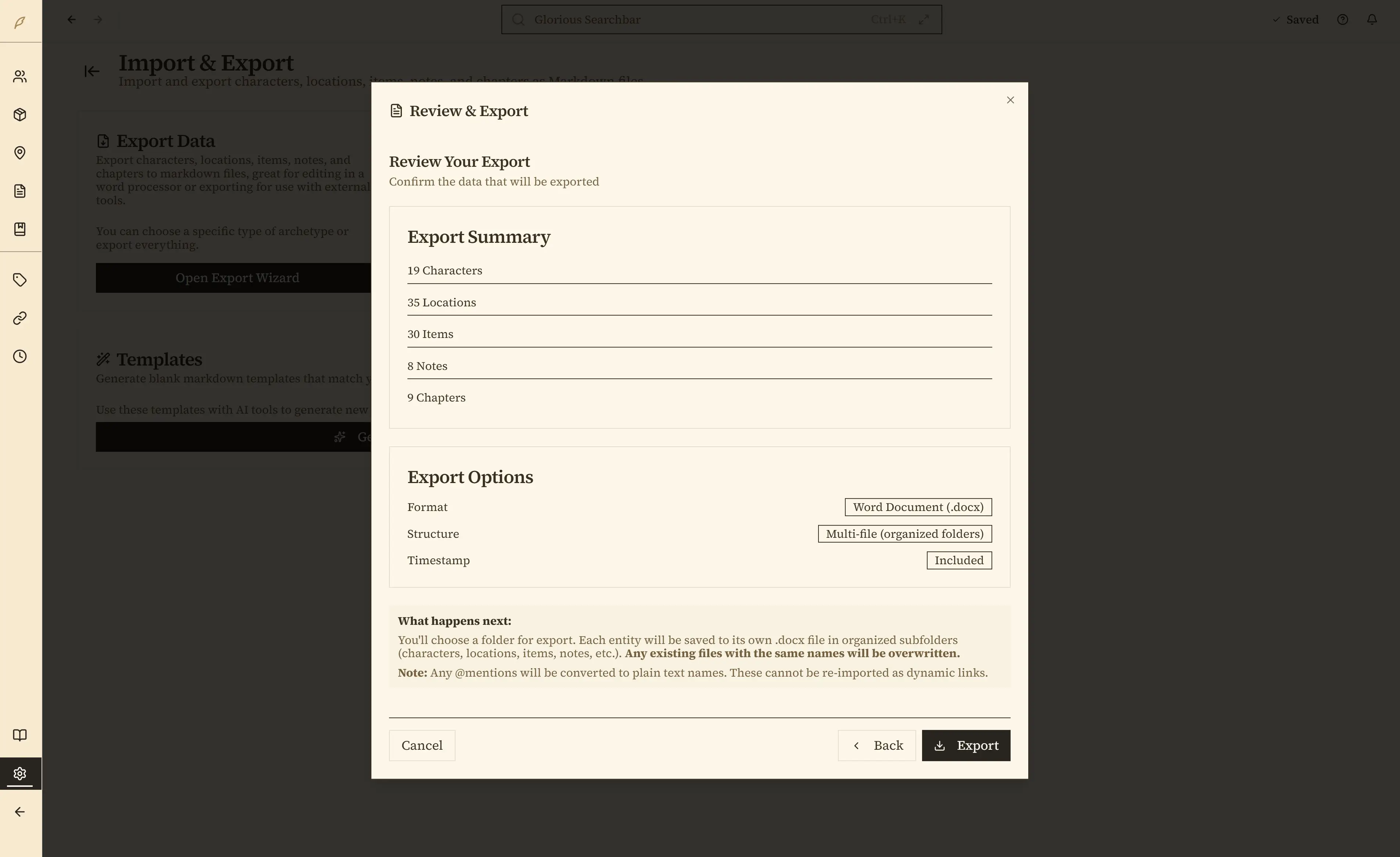
Export at any time
Export your book to Word, PDF, Markdown, and more, or straight back to Scrivener, at any time. No lock-in, ever.
And even more features you won’t want to live without…
Design your own calendar
Invent months, weekdays, leap days, eras, even up to eight moons.
Embedded Images
Import portraits, concept art, maps, and more into any text block. Images are stored with your book.
Genre book templates
Fantasy, Sci-Fi, RPG, Historical, Romance and more — fully customizable.
Custom book covers
Pick colors and textures, or upload your own art.
Story Events
Give big moments like “The Duel at Dawn” a home, linked to the characters, places, and chapters involved.
Note templates
Save any note as a template and reuse it in any book.
Spellcheck that knows your world
Offline, 60+ languages, and it never flags the names you invent.
Fullscreen Zen mode
The interface fades away; just you and the page.
A font just for your prose
Want serif where you write, sans-serif everywhere else? Easy.
Highlight in any color
Build a palette and mark passages to revisit.
Find & Replace with formatting
Match only bold text, or apply italics to replacements.
Comments in the margin
Leave yourself notes beside the line they belong to, or pin a Notebook note to a passage.
The Corkboard
Your chapters as index cards you drag around, plus placeholder cards for scenes you haven’t figured out yet.
Dyslexia-friendly font
Switch the whole app to OpenDyslexic with one setting.
Pin your main cast
Keep key characters at the top of the list.
Calculate & outline blocks
Auto-math fields and collapsible beat sheets in your layouts.
Tables
Magic systems, faction grids, and stat blocks in any rich-text field.
Quick Create (Ctrl+N)
Feel inspired? Make a new entry from anywhere, without losing your place.
Snapshots & scene drafts
Save versions of a scene or the whole book, compare a draft against the current text, and restore safely.
Automatic backups
Saved locally as you write, with optional cloud-safe offsite copies.
Share & sync books
Export your whole book as a .penpoint file to share, or keep up to 5 computers in step with Penpoint Cloud.
Submission-ready export
One click writes the standard Word manuscript format literary agents expect.
Word-count goals & “Where I Left Off”
Daily targets, and pick up exactly where you stopped.
New features are continually being added — Penpoint is built in the open with feedback from authors like you.
See our development process →Questions & answers
Wondering how Penpoint stacks up?
See exactly how it compares to Scrivener, Campfire, and Dabble, or read through the questions writers ask most.
See the full comparison →What is Penpoint?
A desktop app where writers write their manuscript and organize their world in one place. Write your entire book in a clean editor, track characters, locations, and relationships with visual tools, and search everything instantly.
Who is Penpoint for?
Writers, mostly. Fiction authors are the core audience, but people also use it for nonfiction, historical research, and tabletop RPG campaigns. It works fine with a handful of characters or a cast of hundreds.
How much does Penpoint cost?
$40, once (plus tax where applicable, calculated at checkout). No subscription. Your license covers Windows, macOS, and Linux — buy it once, use it everywhere. Every update to the version you buy is free; if a major new version ever ships, it'd be an optional, discounted upgrade, and your copy keeps working regardless. And it's all backed by a 30-day money-back guarantee, no questions asked.
What platforms does Penpoint support?
Windows, macOS (Intel and Apple Silicon), and Linux. It's a native desktop app, not a web app running in a browser. There are no plans for a browser-based version.
Does Penpoint work offline?
Completely. Everything lives on your computer. The app needs no internet connection, no account, and no AI. Your story details don't leave your machine unless you export them yourself, or turn on Penpoint Cloud, the optional paid backup and sync service, which encrypts your books on your computer before they ever go anywhere.
What is Penpoint Cloud?
Penpoint Cloud is the optional subscription that adds an encrypted cloud copy of every book, unlimited version history, up to 5 computers kept in step, and Minipen, the Penpoint phone app. Plans start at $5 a month and include unlimited storage, so there is no cap to outgrow (fair use applies). Penpoint itself is a one-time purchase and works fully without it.
Can I import my existing work?
Scrivener projects: Yes. Import a Scrivener 3 project directly as a new book, with its chapters, scenes, notes, keywords, and character and place sheets. The Importing from Scrivener guide shows how.
Manuscripts: Yes. Import from Word (.docx), EPUB, RTF, Markdown, or plain text. Penpoint detects your chapter boundaries automatically and splits the manuscript for you. Then use the Chapter Scanner to auto-detect characters, locations, and items in your prose.
Worldbuilding data: You can import worldbuilding from a Markdown file formatted for Penpoint. It may require some restructuring, but it works. Beyond that, the Chapter Scanner auto-detects proper nouns in your manuscript and offers to import them as characters, locations, or items, so your prose builds your worldbuilding for you.
What makes Penpoint different from Scrivener, Campfire, or Dabble?
Scrivener is great for organizing a manuscript but doesn't have worldbuilding tools. Campfire has deep worldbuilding, but writing in it is a paid module, free only up to 25,000 words. Dabble lands somewhere in between with limited worldbuilding. Penpoint is the one that does both: write your book and organize your world in the same app. Scrivener projects import directly, so switching doesn't mean starting over. Penpoint vs Scrivener in detail, or see the full comparison →
Does Penpoint have a spellchecker?
Yes, and it works completely offline. Penpoint ships with a spellchecker supporting 60 languages. Download whichever you need from Settings. Every character, location, and item name you create is automatically added to the dictionary, so your invented names never show up as misspelled.
Does Penpoint work with ProWritingAid or Grammarly?
Yes. On Windows and macOS, ProWritingAid Desktop Everywhere and Grammarly for Desktop can detect Penpoint's editor and provide grammar and style suggestions alongside your writing.
What languages does Penpoint support?
The interface is in English. You can write your manuscript in any language and the spellchecker supports 60+ languages you can download from Settings. The one caveat is the Chapter Scanner, which only works with English text right now. Everything else works in whatever language you write in. Multi-language interface support is planned.
What is Flowstate?
A writing mode built right into the manuscript editor. Start a timed writing sprint and sentences lock behind you as you type. You literally can't go back and rewrite the same paragraph for the tenth time. Timed cycles alternate between forward-only writing and editing windows. It's not for everyone, but if you tend to edit too much and write too little, it might be exactly what you need.
Can I manage multiple books or a series?
Yes, and it goes beyond a shared folder. Turn any book into Book 1 of a Series (or gather books you've already started under one series) and your characters, locations, and lore are shared across every volume: edit a character once and they stay current in every book. Each book keeps its own manuscript, chapters, and arcs, while a Series Arc view plots the threads that span the whole saga. Focus on just the book you're drafting, or see your whole cast at once.
Is Penpoint actively developed?
Yes — Penpoint is built and maintained continuously, with new features and fixes shipping regularly based on community feedback. See the changelog for the full release history.
What is a character bible or story bible?
A character bible is a reference sheet for every character in your story: names, traits, relationships, backstories, all of it. A story bible is the same idea but for your whole world: locations, timelines, plot threads, worldbuilding. Some people call them series bibles. Penpoint is both. Your characters and your world, organized and searchable in one place.
Penpoint started with a single writer who built the app he always wanted.
It began as a tool for keeping his own 250-year saga straight. Then his brother asked for a copy, and a Reddit post did the rest.
Read the whole storyReady to write
your story?
No account needed. Your data stays on your computer.
Backed by a 30-day money-back guarantee — no questions asked.
Price excludes tax where applicable, calculated at checkout.
